Coming soon
Casegen
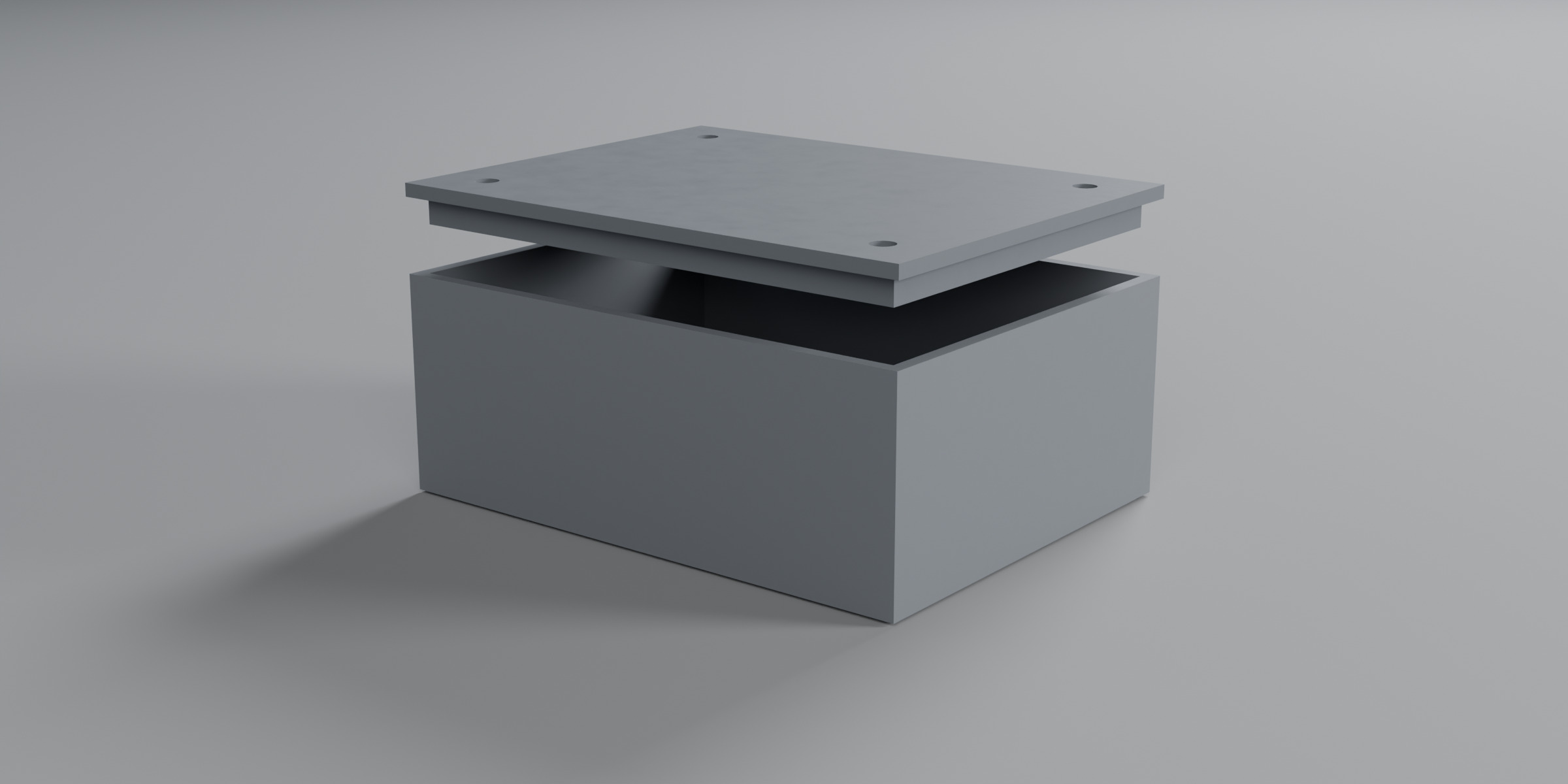
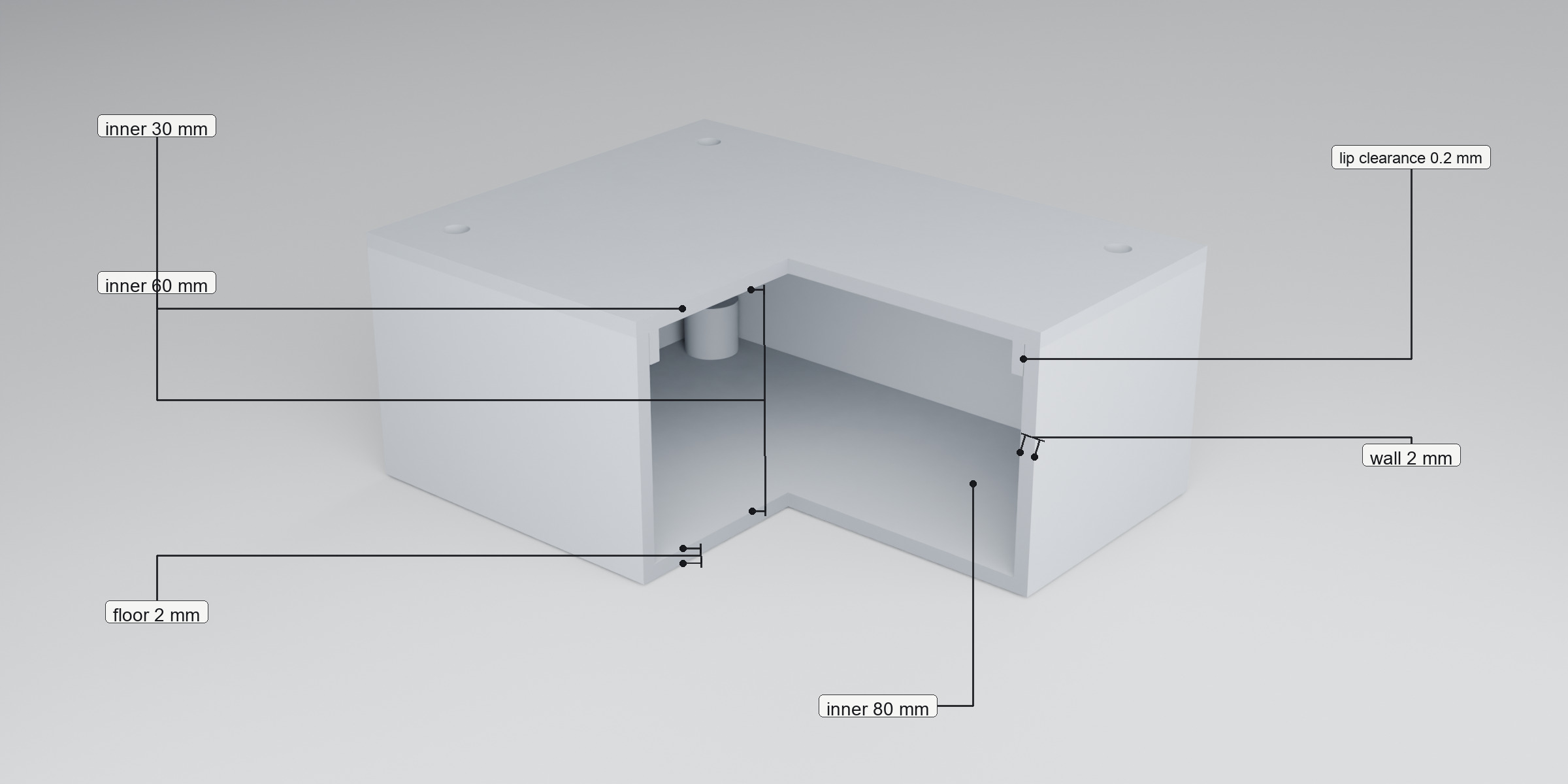
Inner cavity, wall, lid lip, screw bosses and vent slots in millimetres. Reports whether the outer box fits a volume you set.
What it does
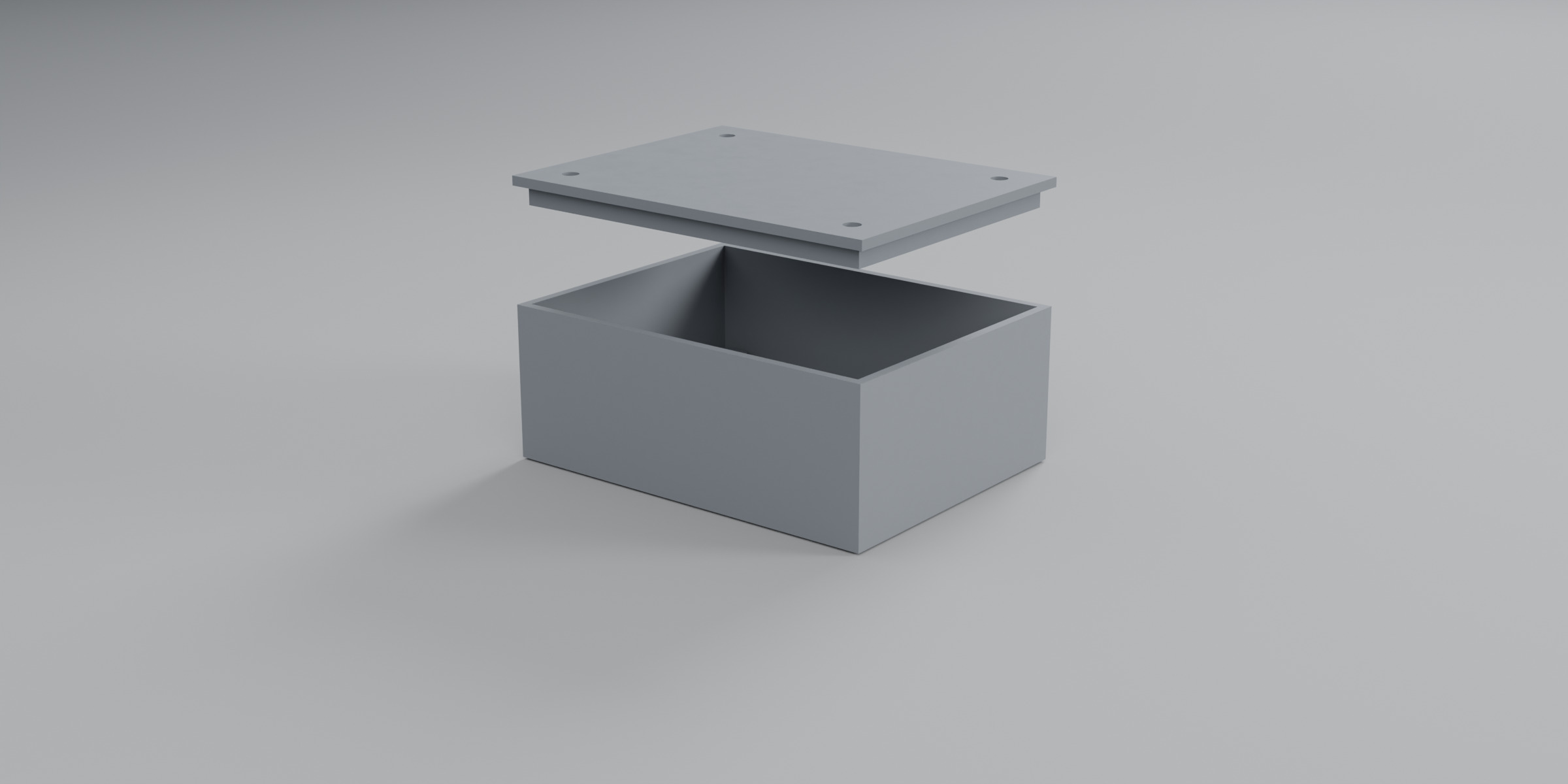
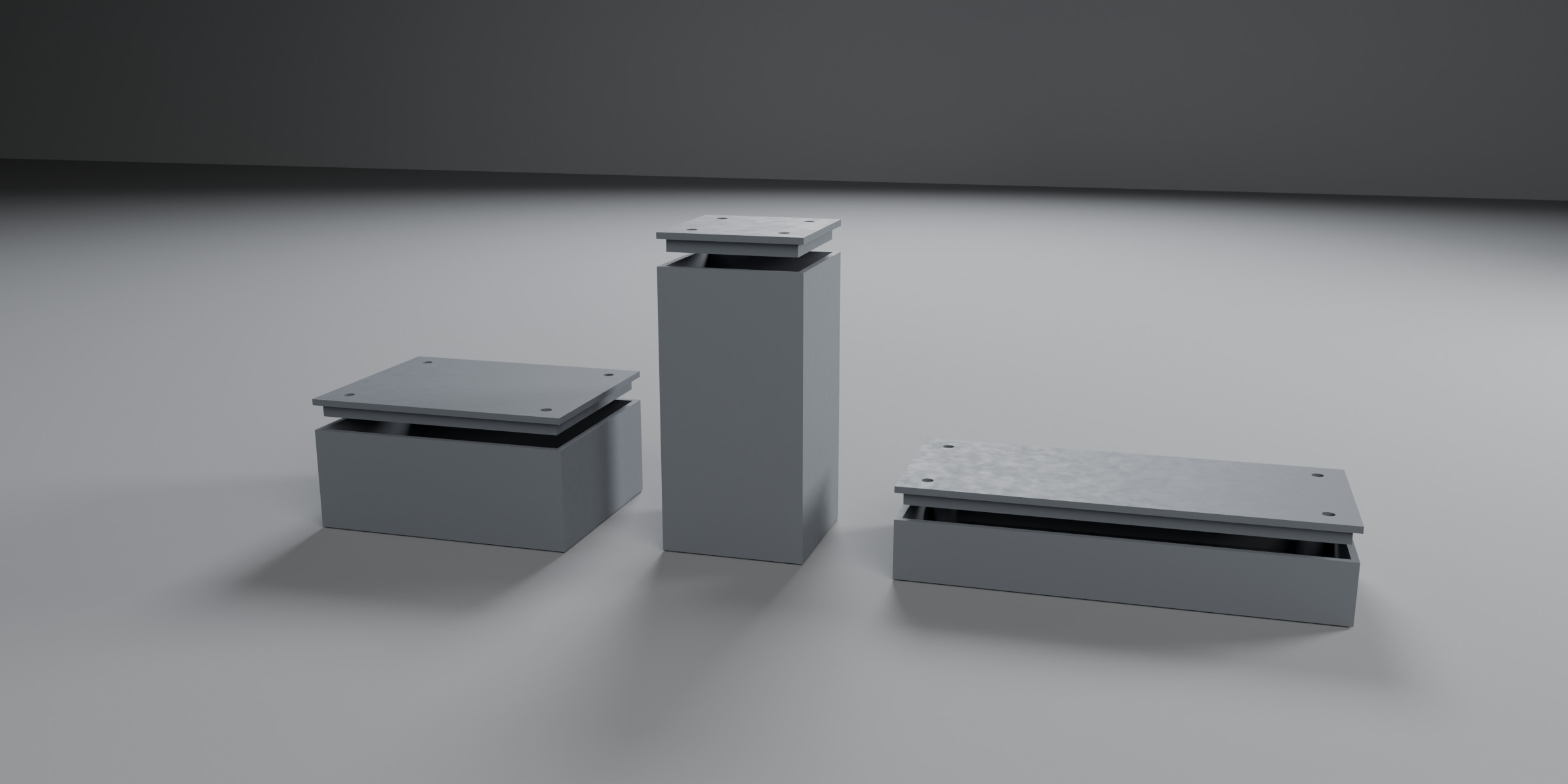
Casegen generates a rectangular project box in Blender from millimetre numbers. Generate emits two closed edge-manifold meshes. The panel reports the outer bounding box and whether each part fits a volume you type, default 220 x 220 x 250 mm. That is a size comparison. It is not a slicer. It does not describe a process or a machine.
- Inner L x W x H, wall, floor, lid thickness
- Nesting lid lip with clearance
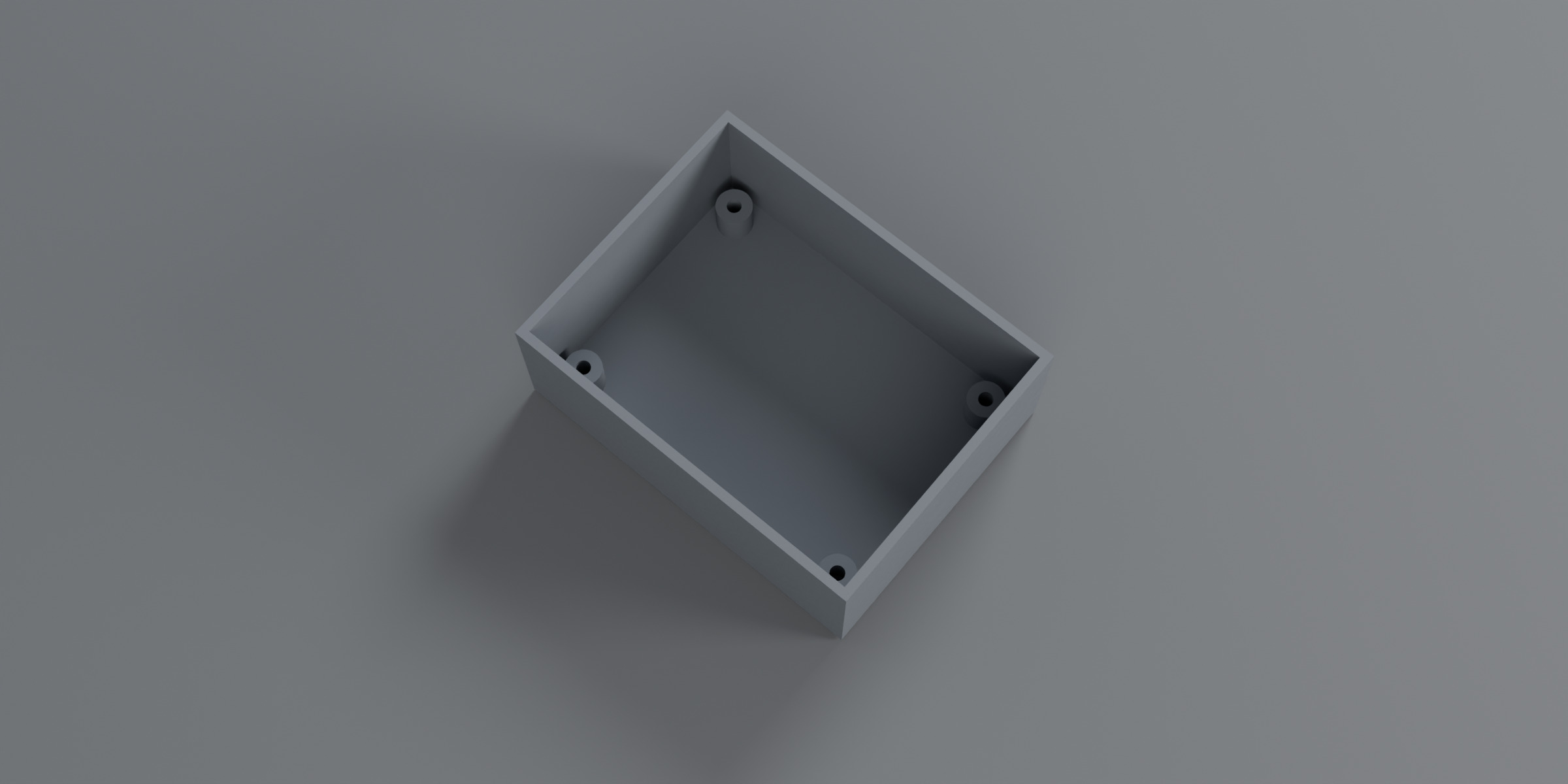
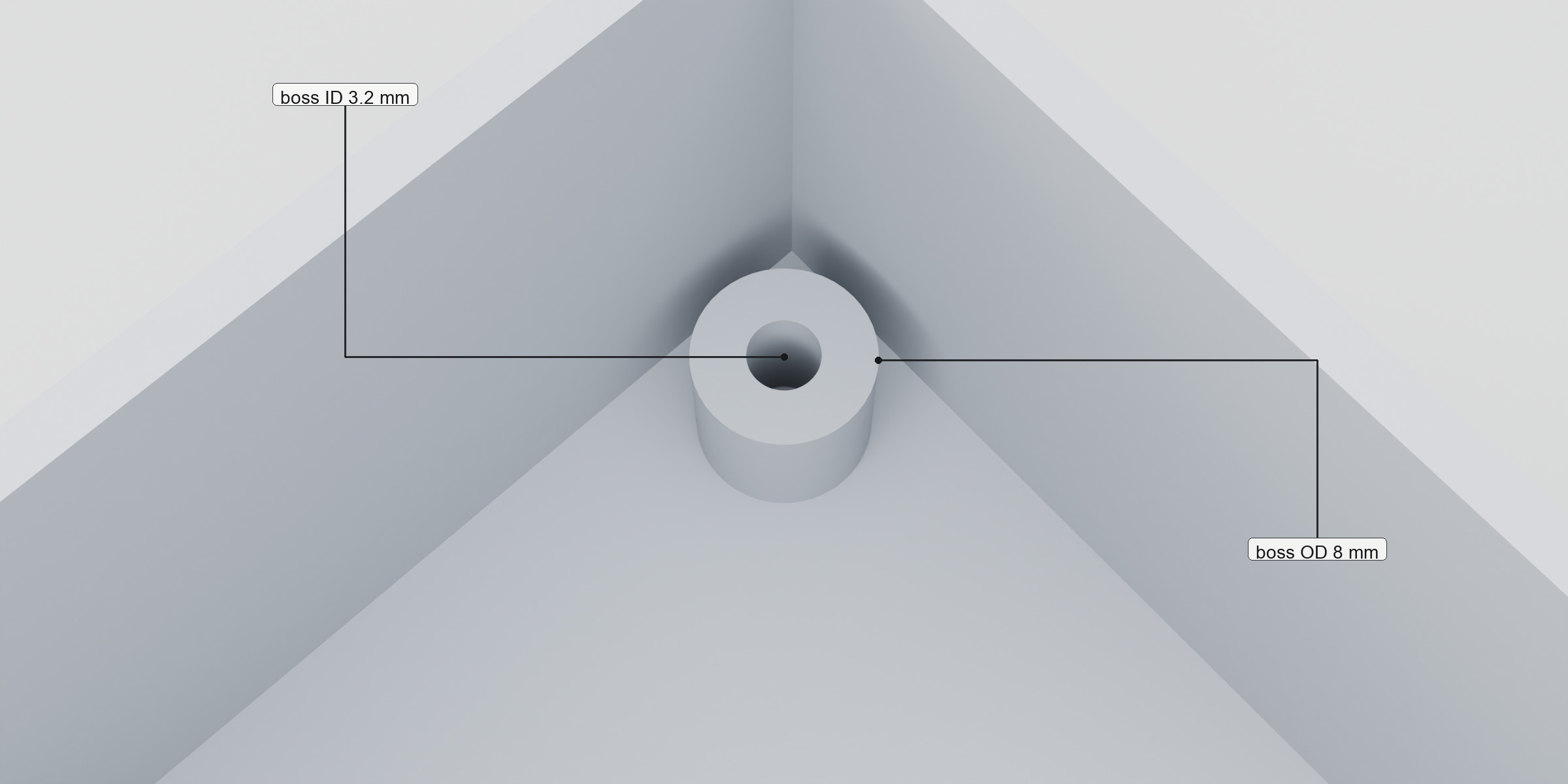
- Four corner bosses: OD, ID, height, inset. Lid holes aligned
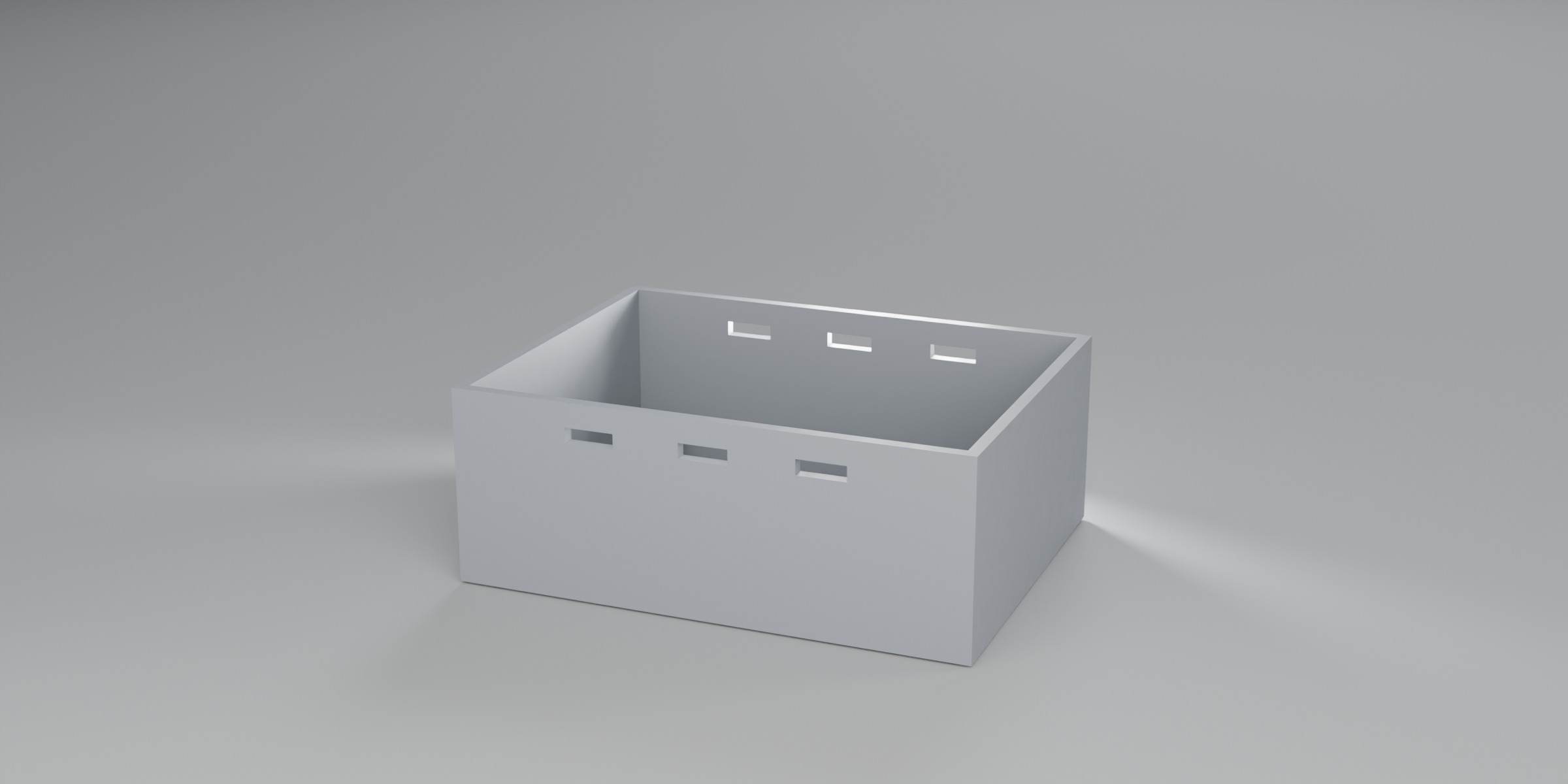
- Optional rectangular vents on the two long walls
- Fit readout vs a volume (default 220 x 220 x 250 mm). Size only
- Closed manifold meshes. Undo. No pip
All fields are millimetres. Defaults: inner 80 x 60 x 30, wall 2, floor 2, lid 2, lip 4 high with 0.2 clearance, four corner bosses OD 8 / ID 3.2 / height 8 / inset 6.
Geometry
Limits
- Rectangular only. No corner radius, no fillets, no threads, no snap-fits.
- Bosses are cylindrical tubes on the floor. The hole does not go through the floor.
- Vents are rectangular slots on the ±Y walls only.
- No STL or 3MF exporter. Use Blender's own export.
- No process or machine claim. The fit line is a bounding-box size comparison only.
Install
Blender → Edit → Preferences → Get Extensions → Install from Disk. Enable Casegen. 3D Viewport → N panel → Casegen. No pip, no extra libraries.
1 Blender unit = 1 metre. The add-on converts millimetres to metres internally.
Support
Email support@runekit.dev. Replies within two business days.
Include Blender version, operating system, Casegen version, what you did, what you expected, and what happened.
Not for sale until Superhive lists it. There is no buy button on this page.